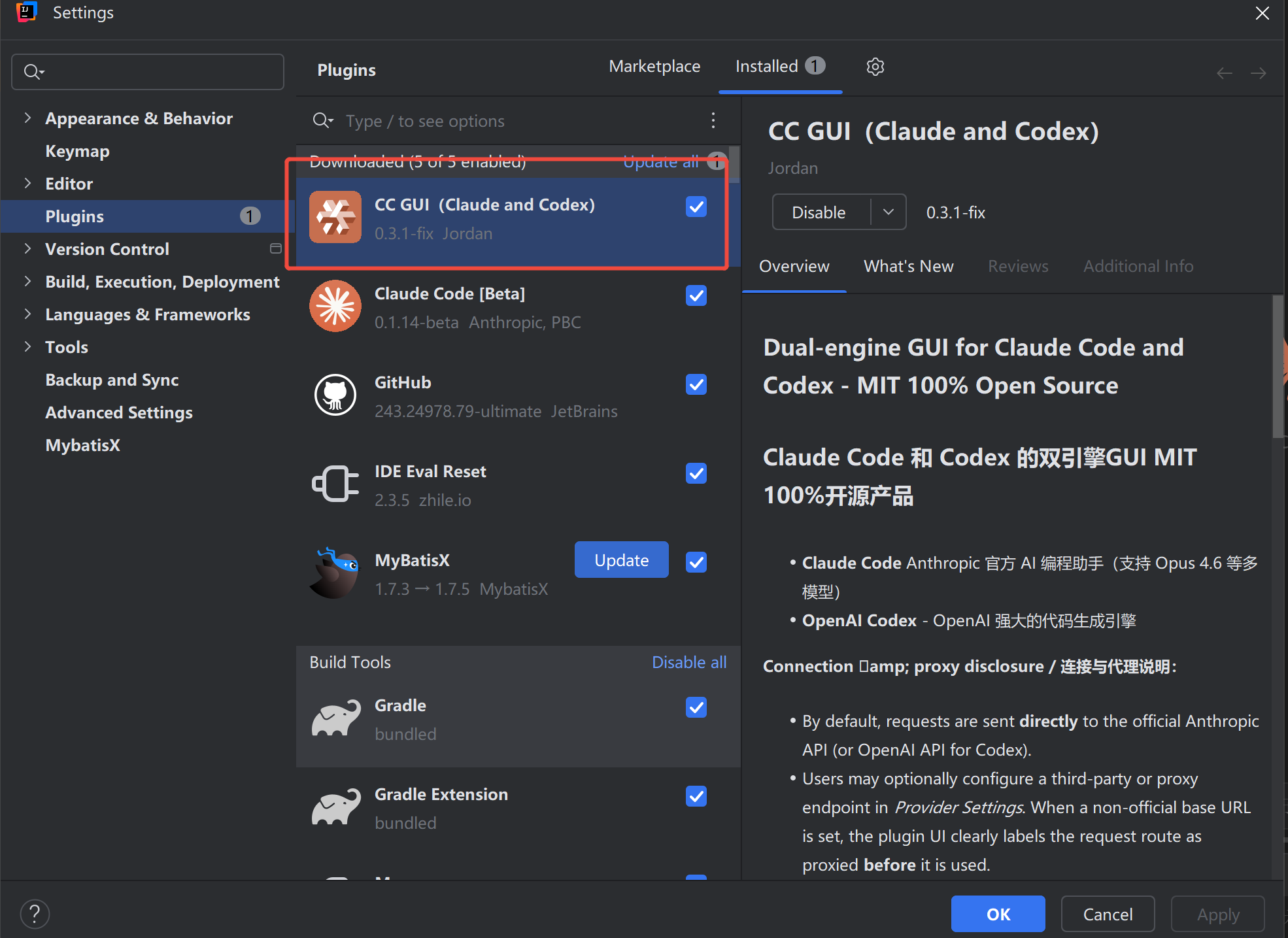
给习惯用IntelliJ IDEA编程工具开发的朋友,推荐一款AI编程插件CC GUI(claude and codex),亲测好用,支持claude code和 codex,可以调用claude、codex国外大模型(支持中转代理服务国外大模型调用)、国内主流模型调用(通过配置claude code配置国产大模型),以下是插件介绍,希望对习惯使用IntelliJ IDEA编程工具朋友有所帮助,好物分享请给个好评谢谢

Dual-engine GUI for Claude Code and Codex - MIT 100% Open Source
Claude Code 和 Codex 的双引擎GUI MIT 100%开源产品
Claude Code Anthropic 官方 AI 编程助手(支持 Opus 4.6 等多模型)
OpenAI Codex - OpenAI 强大的代码生成引擎
Connection eamp; proxy disclosure / 连接与代理说明:
By default, requests are sent directly to the official Anthropic API (or OpenAI API for Codex).
Users may optionally configure a third-party or proxy endpoint in Provider Settings. When a non-official base URL is set, the plugin UI clearly labels the request route as proxied before it is used.
Users can freely switch between direct and proxy modes at any time in the provider settings.
Only when users explicitly enable Local settings.json or CLI Login mode, the plugin may honor network proxy variables from ~/.claude/settings.json (e.g. HTTP_PROXY, HTTPS_PROXY) for API requests. Managed provider presets do not silently inherit these local proxy variables.
默认情况下,请求直接发送到 Anthropic(或 OpenAI)官方 API。用户可在供应商设置中选配第三方或代理端点,插件 UI 会在使用前明确标注请求路由方式。用户可随时在直连与代理模式间自由切换。只有当用户显式启用“本地 settings.json”或“CLI Login”模式时,插件才可能继承 ~/.claude/settings.json 中的网络代理变量(如 HTTP_PROXY、HTTPS_PROXY);普通托管供应商预设不会静默继承这些本地代理变量。
Credential amp; file-access disclosure / 凭证与文件访问说明:
No silent credential scanning. The plugin never silently scans your disk for API keys or tokens. All credential sources require explicit user authorization via a confirmation dialog in the plugin UI.
Provider credentials: Users enter API keys manually in the provider settings UI, or explicitly authorize reading from ~/.claude/settings.json, or explicitly authorize delegating to the Claude SDK’s native OAuth flow (CLI Login). If Claude provider access is revoked or disabled, the plugin does not continue using credentials from ~/.claude/settings.json.
MCP server configuration: When the user opens the MCP settings page, the plugin reads MCP server definitions (server names, commands, arguments) from ~/.claude.json. This file contains no credentials or tokens — only MCP server configuration metadata managed by the Claude CLI.
插件不会静默扫描磁盘上的凭证。所有凭证来源均需用户在 UI 中显式授权确认。MCP 服务器配置仅在用户打开 MCP 设置页面时读取,该文件仅含服务器定义,不含任何凭证或令牌。
核心功能
上下文感知助手:智能编程助手,支持 @文件引用
图片支持:发送图片可视化描述需求
Agent 系统:内置智能体自动化执行复杂任务
Skills 命令:斜杠命令系统(/init, /review 等)
MCP 服务器:通过 MCP 协议扩展 AI 能力
代码 DIFF:可视化代码对比和文件导航
对话回退:灵活调整对话历史
会话管理:历史记录、收藏、搜索和导出
主题支持:深色/浅色主题,支持 IDE 字体同步
权限控制:完善的安全管理
供应商管理:兼容 cc-switch
使用方法
从右侧边栏打开 CC GUI 工具窗口
选中代码后使用 Ctrl+Alt+K(Win/Linux)或 Cmd+Alt+K(Mac)发送给 AI
即时获得 AI 驱动的代码辅助和智能建议
Keywords: Claude, Claude Code, Codex, OpenCode, Gemini, Code Generation, AI Coding
[分享创造] [送码] 一个 1Panel 第三方手机客户端 Mono Dash,已开源已上架
[问与答] 安卓手机自己充 chatgpt 需要办 visa 卡吗? visa 卡怎么办理,求指导
1 个帖子 - 1 位参与者