前言
ccr好用,但是一个提供商只能配置一个apikey。
于是想着写一个插件实现可以一次配置多个apikey。
最终效果:
在ccr ui页面api秘钥位置填写多个以英文逗号分割的apikey,就能每次使用不同的apikey。
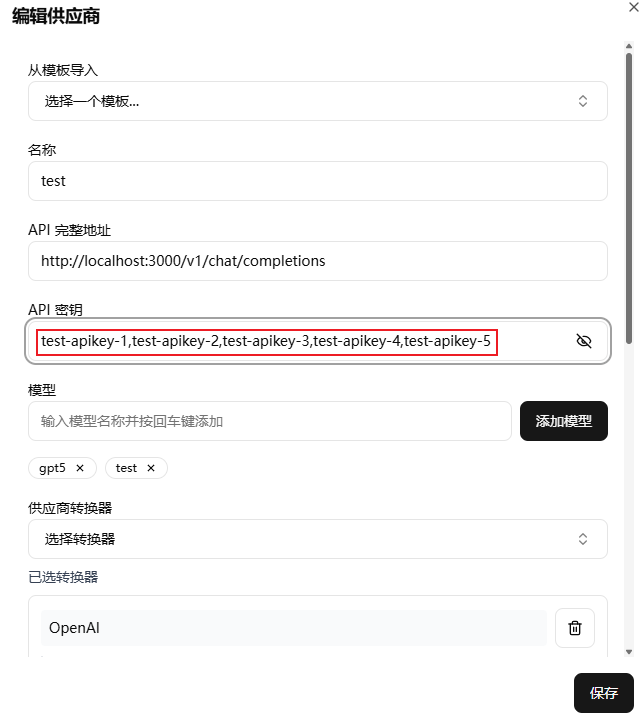
详细教程
1. 将下面代码放到任意位置:module.exports = class {
name = "apikey";
constructor() {
this.map = {};
}
async transformRequestIn(request, provider) {
const apiKeys = provider.apiKey;
const arr = apiKeys.split(",");
let apiKey = arr[0];
if (arr.length > 1) {
// 存在多个api key时
const key = provider.name;
const index = this.map[key] || 0;
apiKey = arr[index].trim();
this.map[key] = (index + 1) % arr.length;
}
return {
body: request,
config: {
headers: {
Authorization: apiKey.startsWith("Bearer ") ? apiKey : `Bearer ${apiKey}`,
},
},
};
}
async transformResponseOut(response) {
// Pass through response unchanged
return response;
}
};

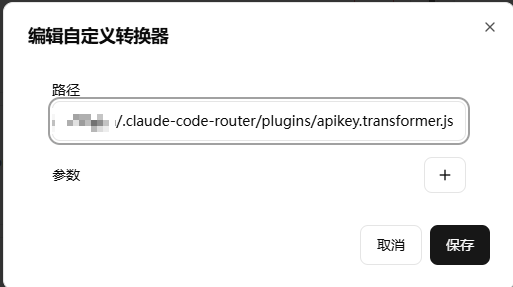
路径填刚刚保存文件的路径,建议"/"分割
 3. 给需要配置多apikey的提供商选择"apikey"转换器
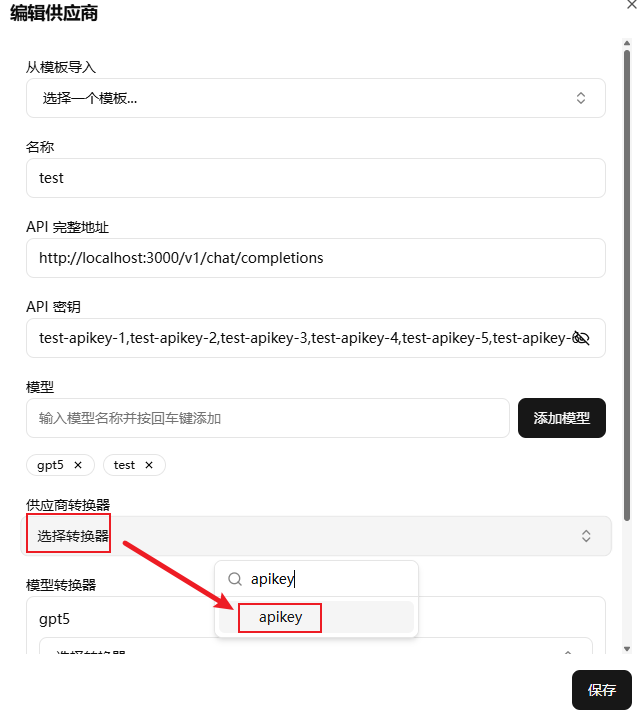
确定有"apikey"转换器
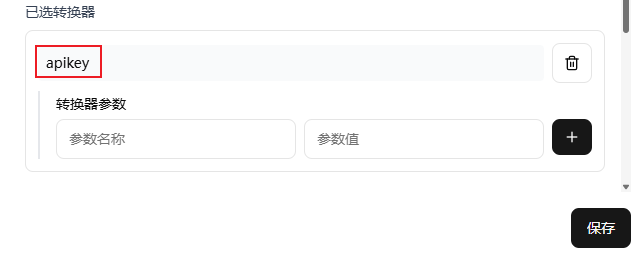 4. api秘钥填写由英文逗号分割的apikey,如:
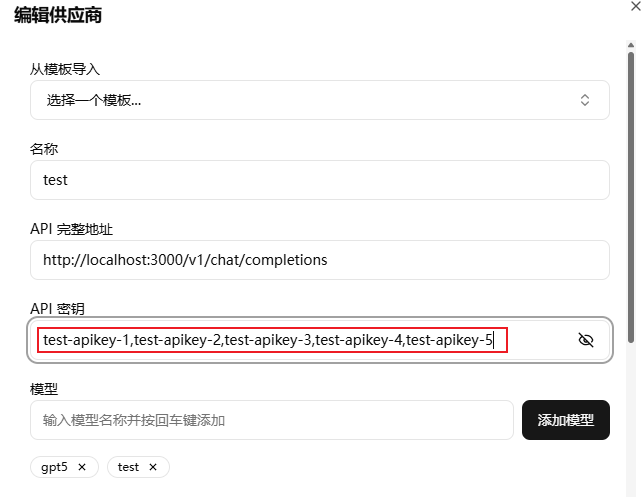 5. 效果:
postman发请求:
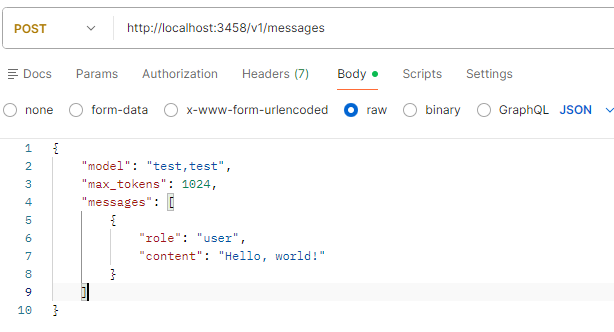
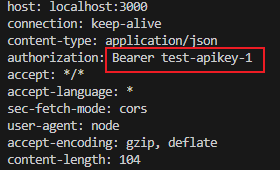
第一次用第一个apikey
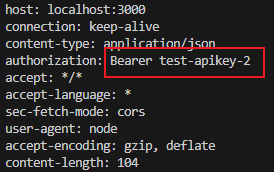
第二次用第二个apikey
1 个帖子 - 1 位参与者
来源: linux.do查看原文