原理:
使用github ci,在每次提交到gh时触发Workflow:使用此仓库的secret(SSH密钥)push到Codeberg上你的仓库。
- 需要一个gh、codeberg账户和源仓库与镜像仓库
- 创建一个SSH密钥
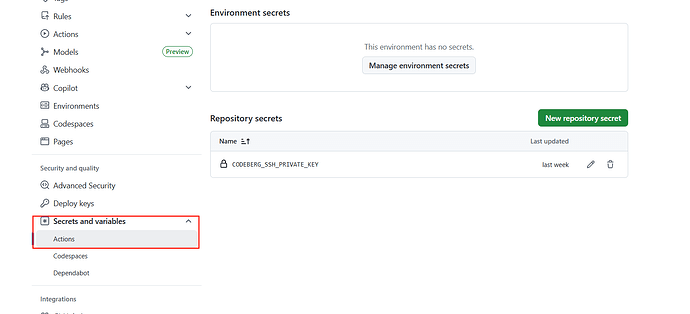
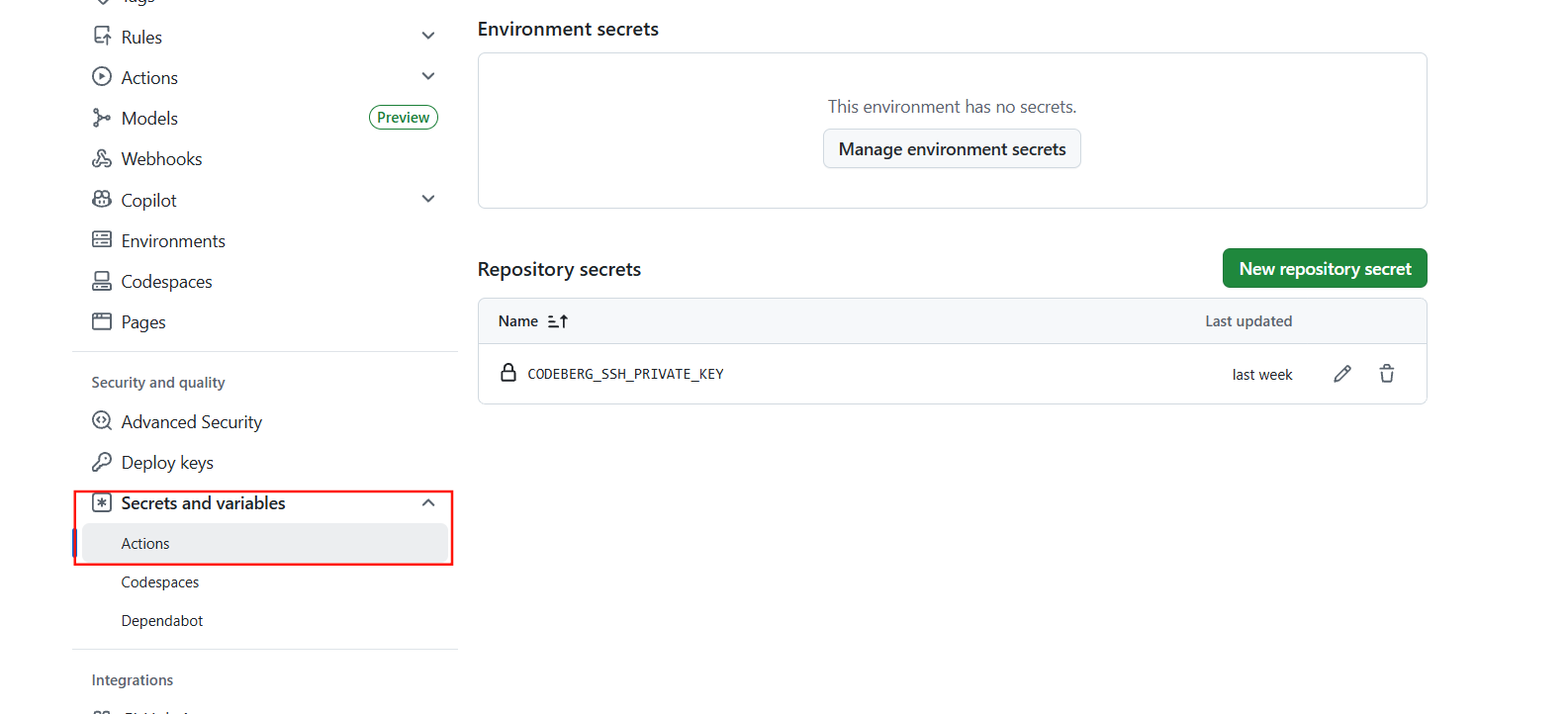
- 将私钥复制到gh仓库的
Aecrets and variables→Actions→Repository secrets
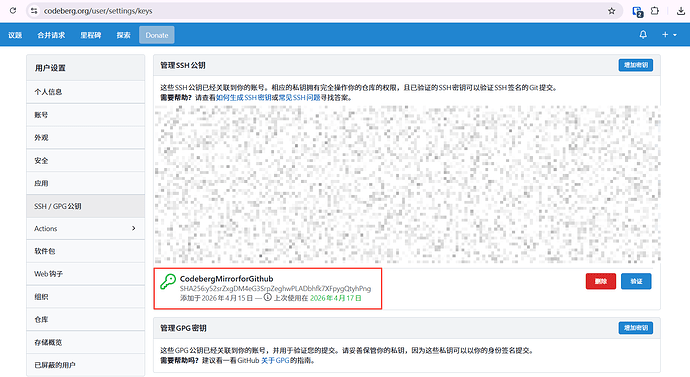
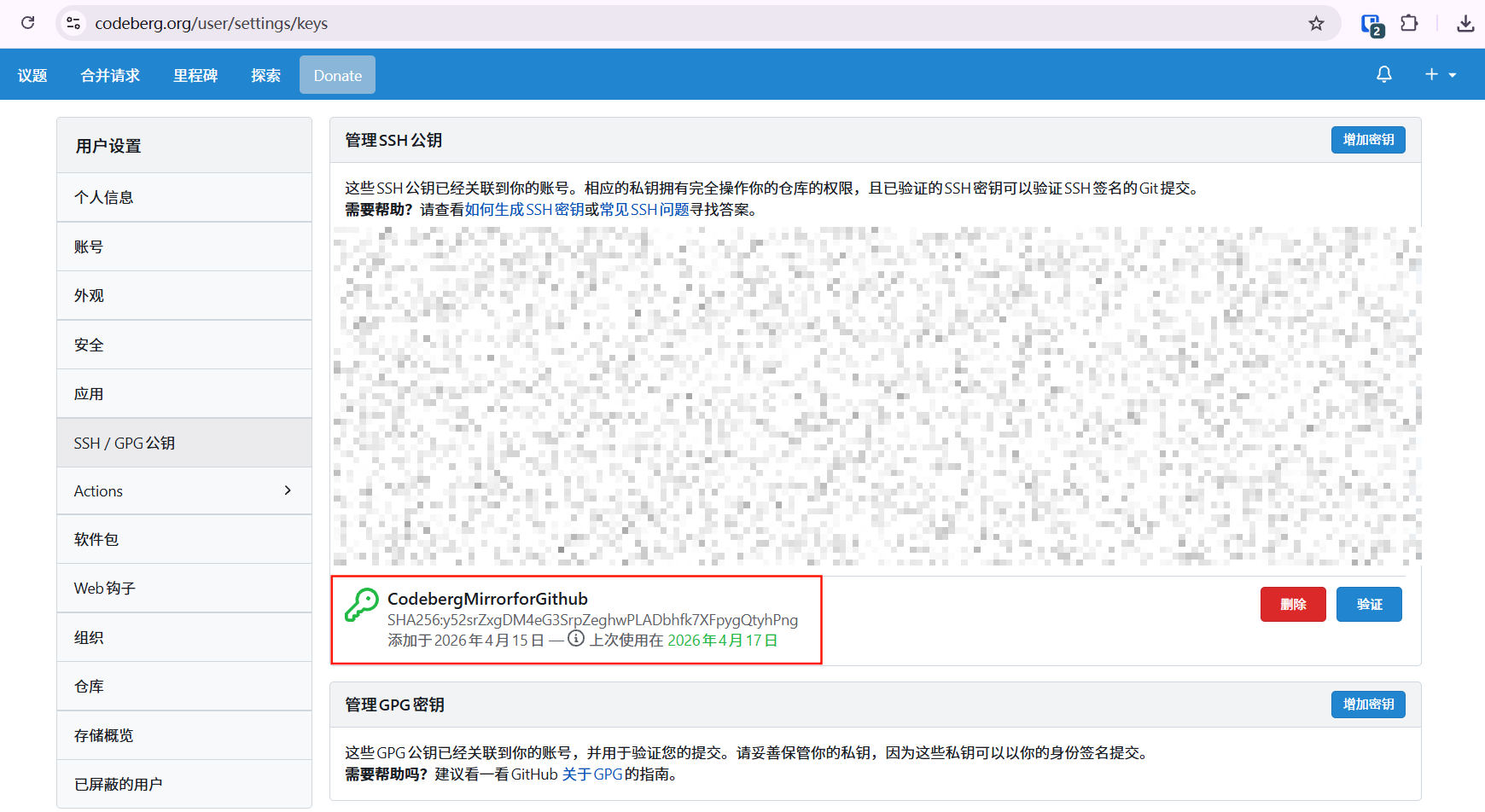
- 将公钥添加到codeberg仓库的ssh密钥里
- 在你的仓库里添加workflow
# .github\workflows\sync-to-codeberg.yml
name: Sync to Codeberg

# 触发条件:当代码被推送到 main 分支时
on:
  push:
    branches: [ main ]
jobs:
  sync:
    runs-on: ubuntu-24.04
    steps:
      # 1. 签出 GitHub 仓库的代码
      - name: Checkout
        uses: actions/checkout@v6
        with:
          fetch-depth: 0 # 获取完整的 Git 历史记录

      # 2. 使用第三方 Action 将代码推送到 Codeberg
      - name: Mirror to Codeberg
        uses: pixta-dev/repository-mirroring-action@v1
        with:
          target_repo_url: "git@codeberg.org:<USERNAME>/<REPO_NAME>.git" # 替换为你的仓库 SSH 地址
          ssh_private_key: ${{ secrets.CODEBERG_SSH_PRIVATE_KEY }} # 引用在 GitHub 中保存的 SSH 私钥
注:此actions会默认同步仓库的所有分支,如要更精细的控制,需自行在workflow里执行添加密钥、克隆仓库、推送仓库。
1 个帖子 - 1 位参与者
来源: linux.do查看原文