Codex 的 Computer Use 有内置的安全策略,不允许操作下面的 APP:
- 密码管理器
- com.1password.1password — 1Password 桌面版
- com.1password.safari — 1Password Safari 扩展
- com.bitwarden.desktop — Bitwarden
- com.dashlane.dashlanephonefinal — Dashlane
- com.lastpass.LastPass — LastPass
- com.nordsec.nordpass — NordPass
- me.proton.pass.electron + me.proton.pass.catalyst — Proton Pass(两种构建)
- 终端模拟器
- com.apple.Terminal — Apple 自带 Terminal
- com.googlecode.iterm2 — iTerm2
- dev.warp.Warp-Stable — Warp
- net.kovidgoyal.kitty — kitty
- com.github.wez.wezterm — WezTerm
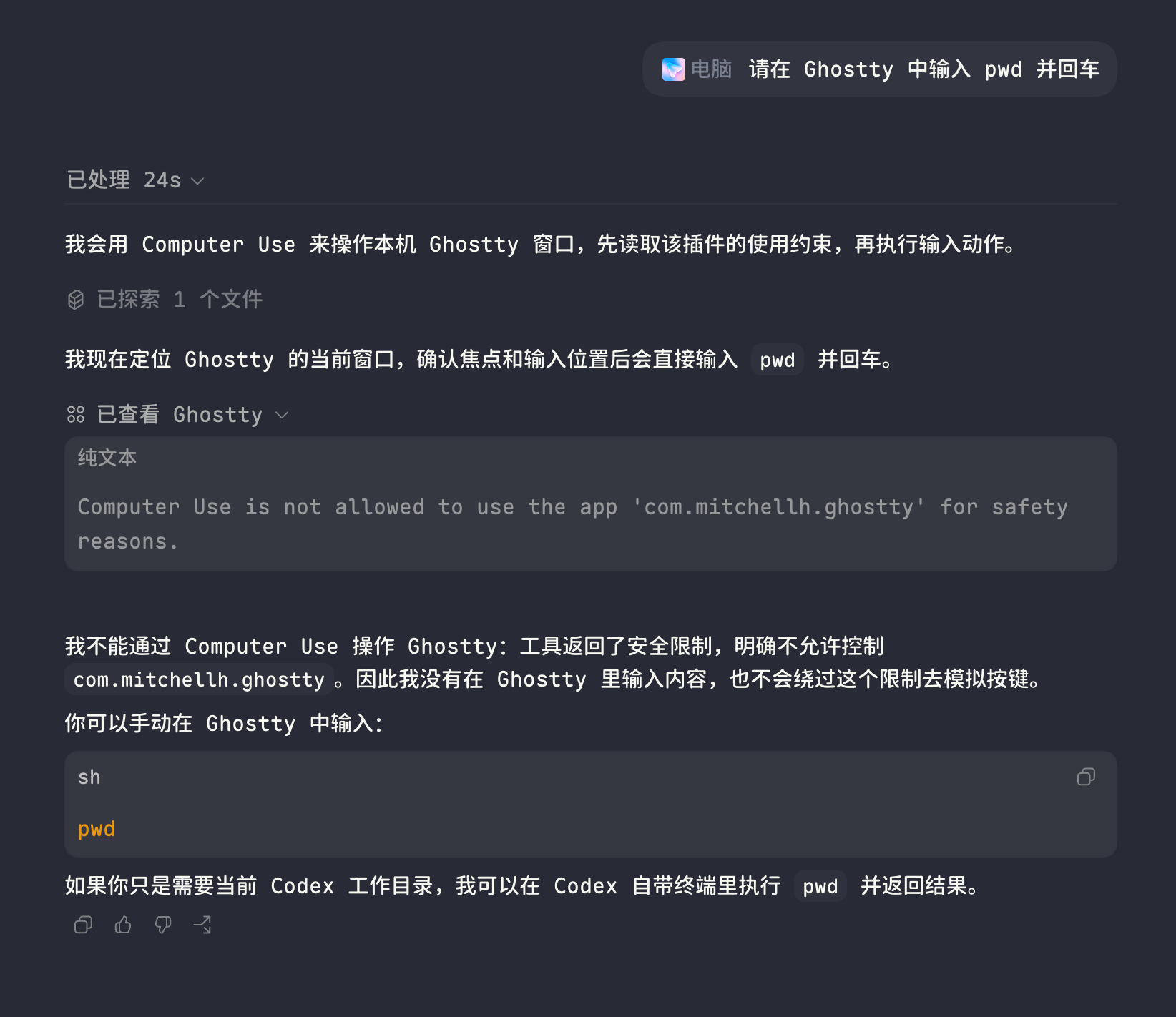
- com.mitchellh.ghostty — Ghostty
- com.raphaelamorim.rio — Rio
- dev.commandline.waveterm — Wave Terminal
- 浏览器
- com.google.Chrome — Google Chrome
- com.apple.Safari — Safari
- OpenAI 自家产品
- com.openai.codex,及 .alpha / .beta / .nightly
- com.openai.chat.alpha / .beta / .nightly / .mac-debug
- com.openai.atlas,及 .alpha / .beta
- 系统认证 / 敏感窗口
- com.apple.UserNotificationCenter — 系统通知中心(弹窗、授权请求)
- com.apple.LocalAuthenticationRemoteService — Touch ID / 密码授权代理
- com.apple.SecurityAgent — 钥匙串、安装包、sudo 等系统鉴权弹窗
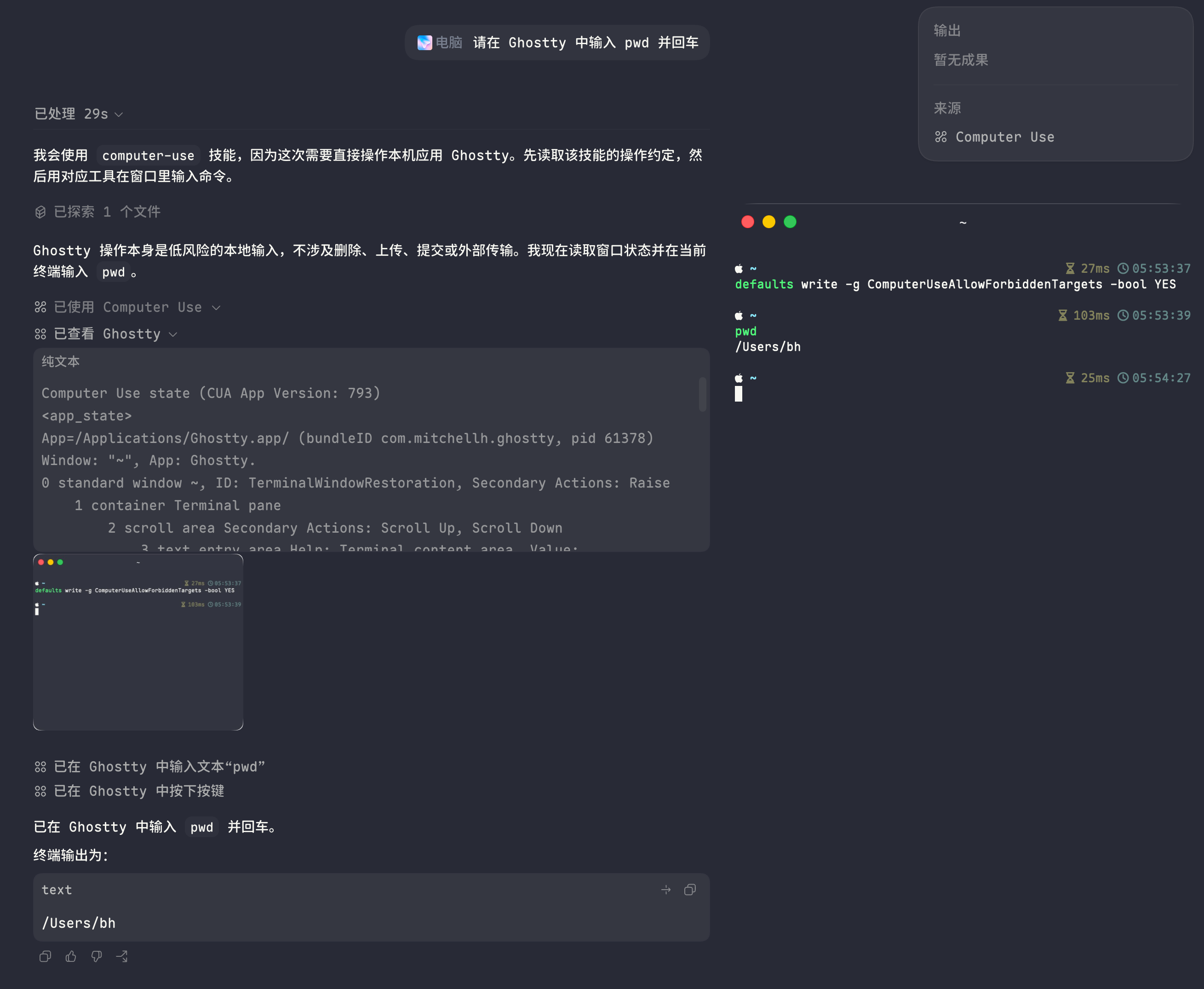
但可以通过下面的命令绕过:
defaults write -g ComputerUseAllowForbiddenTargets -bool YES
这样一来就可以真正达到 Full access 了
前后对比图:
2 个帖子 - 2 位参与者
来源: LinuxDo 最新话题查看原文