最近 OpenAI team bug 可以无限拉人,然后佬友们也分享了很多号出来。
最开始也不知道咋用,折腾了一会发现直接导入到 CPA 就可用了。
整理了一下,把 CPA 从部署、配置、使用的全流程。
也是刚接触,如果有遗漏的欢迎大家补充~
Docker 启动
Clone 源码
git clone https://github.com/router-for-me/CLIProxyAPI.git
cd CLIProxyAPI
准备配置文件
创建配置文件
cp config.example.yaml config.yaml
编辑配置:
QuickStart 的话只需要简单修改地方:
-
remote-management.allow-remote:需要远程访问则设置为 true
-
remote-management.secret-key:访问密码,比如 123456
-
api-keys:默认会有一个 demo key,需要移除,否则无法使用,界面会提示
[root@iZ2ze9mshhvzrd83avxqz2Z CLIProxyAPI]# cat config.yaml
# Server host/interface to bind to. Default is empty ("") to bind all interfaces (IPv4 + IPv6).
# Use "127.0.0.1" or "localhost" to restrict access to local machine only.
host: ""
# Server port
port: 8317
# TLS settings for HTTPS. When enabled, the server listens with the provided certificate and key.
tls:
  enable: false
  cert: ""
  key: ""
# Management API settings
remote-management:
# Whether to allow remote (non-localhost) management access.
# When false, only localhost can access management endpoints (a key is still required).
  allow-remote: true
  # Management key. If a plaintext value is provided here, it will be hashed on startup.
# All management requests (even from localhost) require this key.
# Leave empty to disable the Management API entirely (404 for all /v0/management routes).
  secret-key: ""
启动服务
docker compose up -d
访问
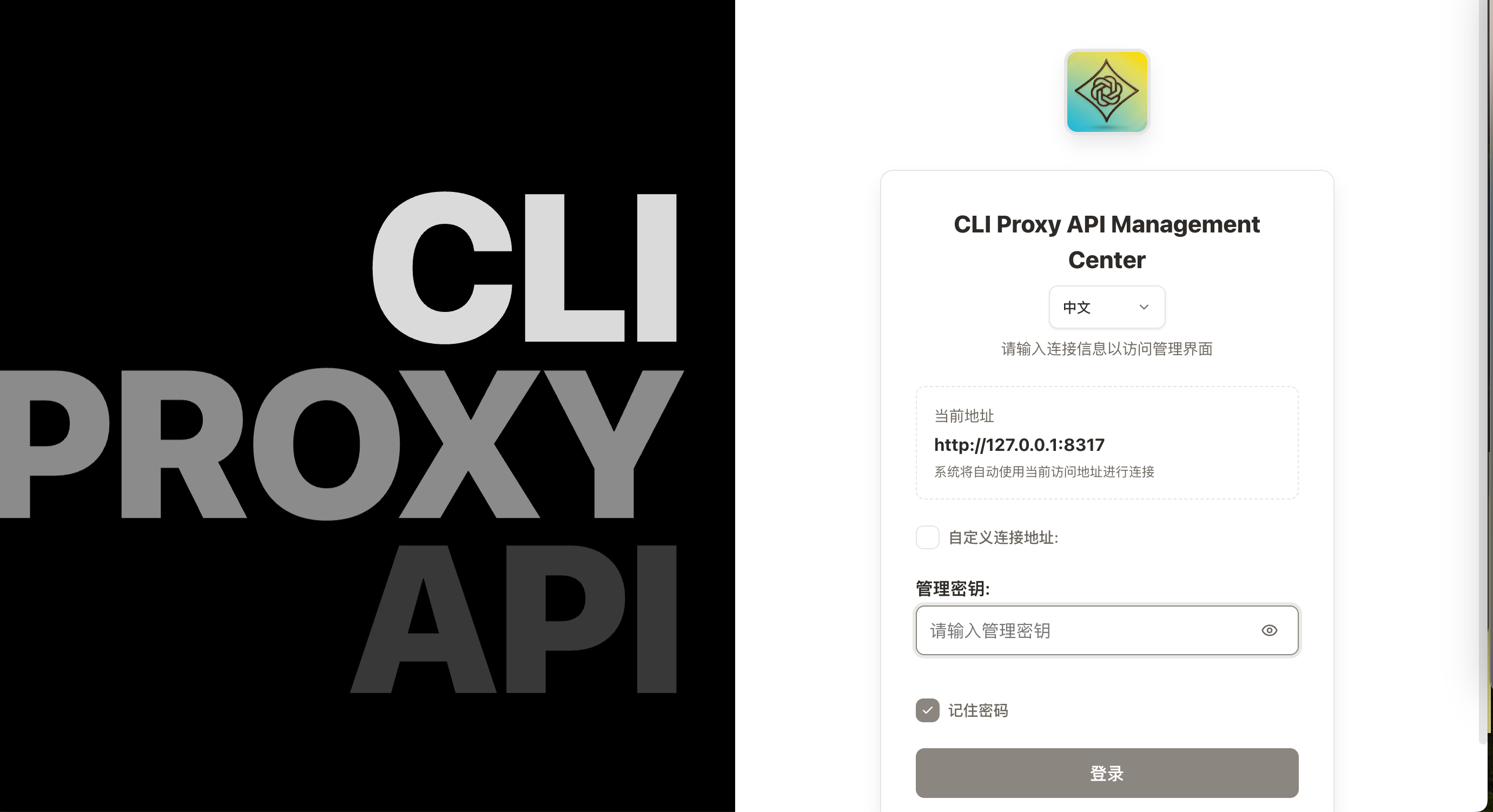
对应的访问地址是 http://127.0.0.1:8317/management.html
输入配置文件中指定的密码即可登录:
使用
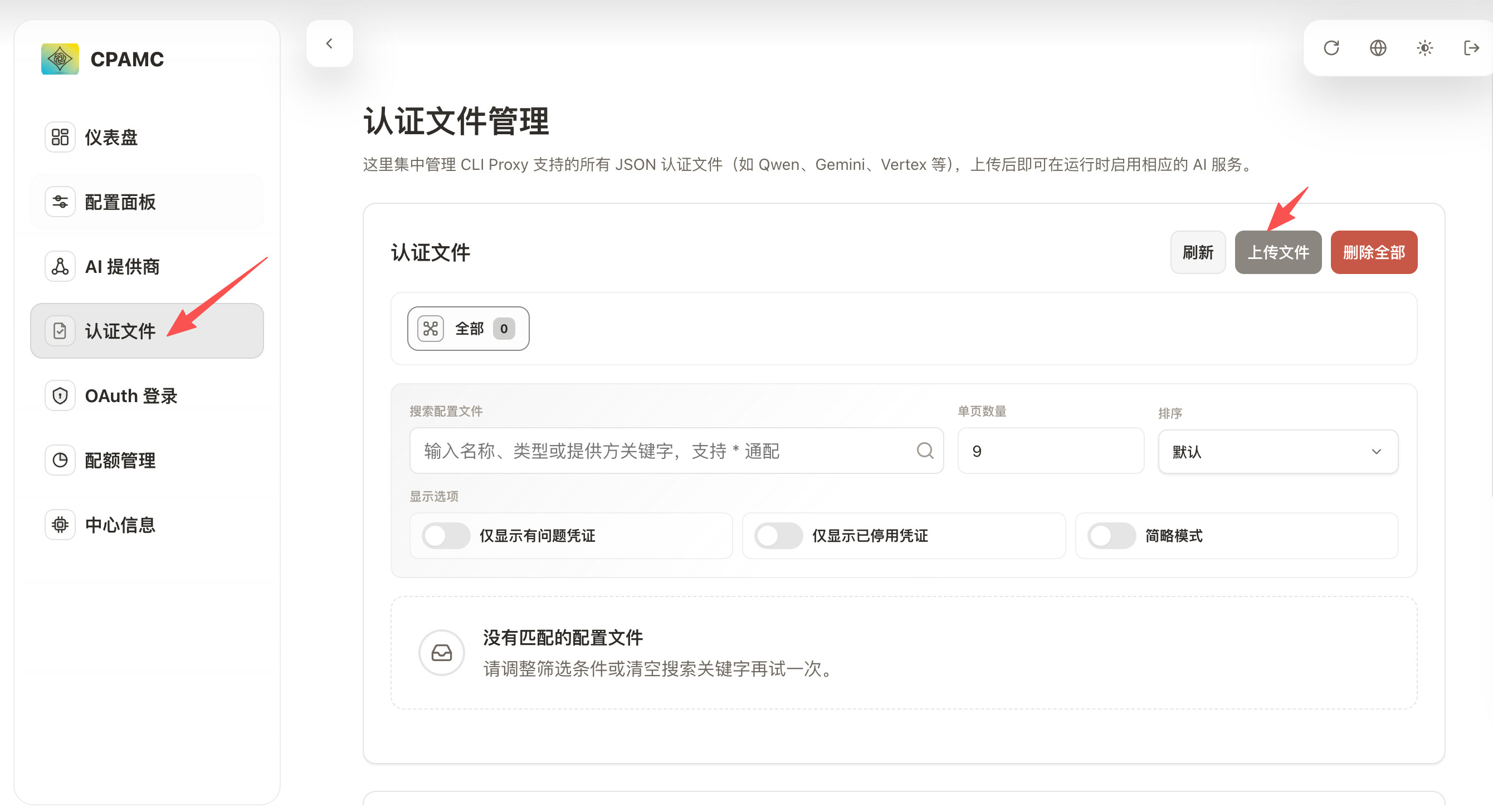
导入认证文件
切换到 认证文件栏,点击右上角的上传文件即可
一般是一个 json 文件,佬友们发的可以直接导入
比如这个:https://linux.do/t/topic/2336083
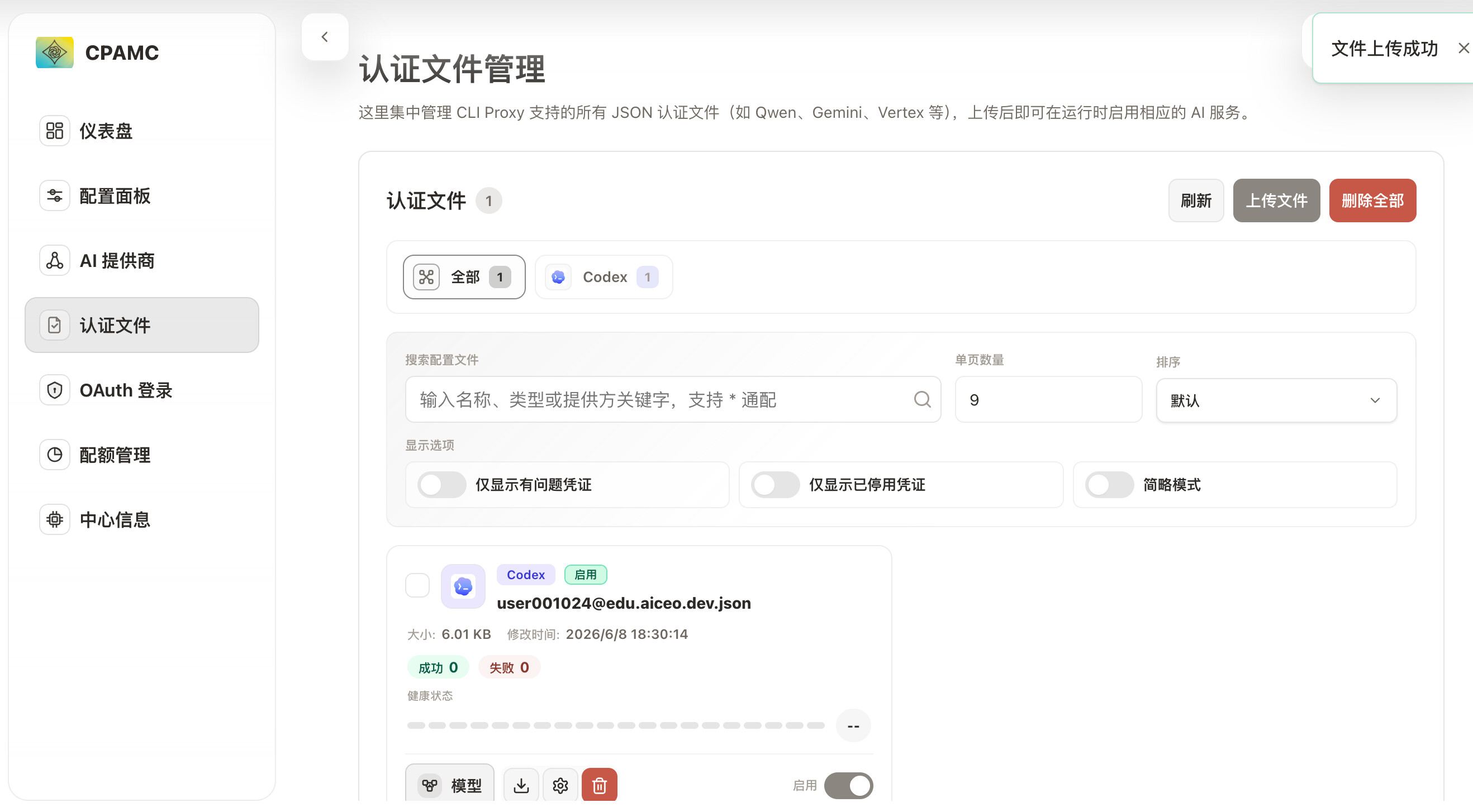
上传后效果如下:
佬友们分享的文件,直接导入即可
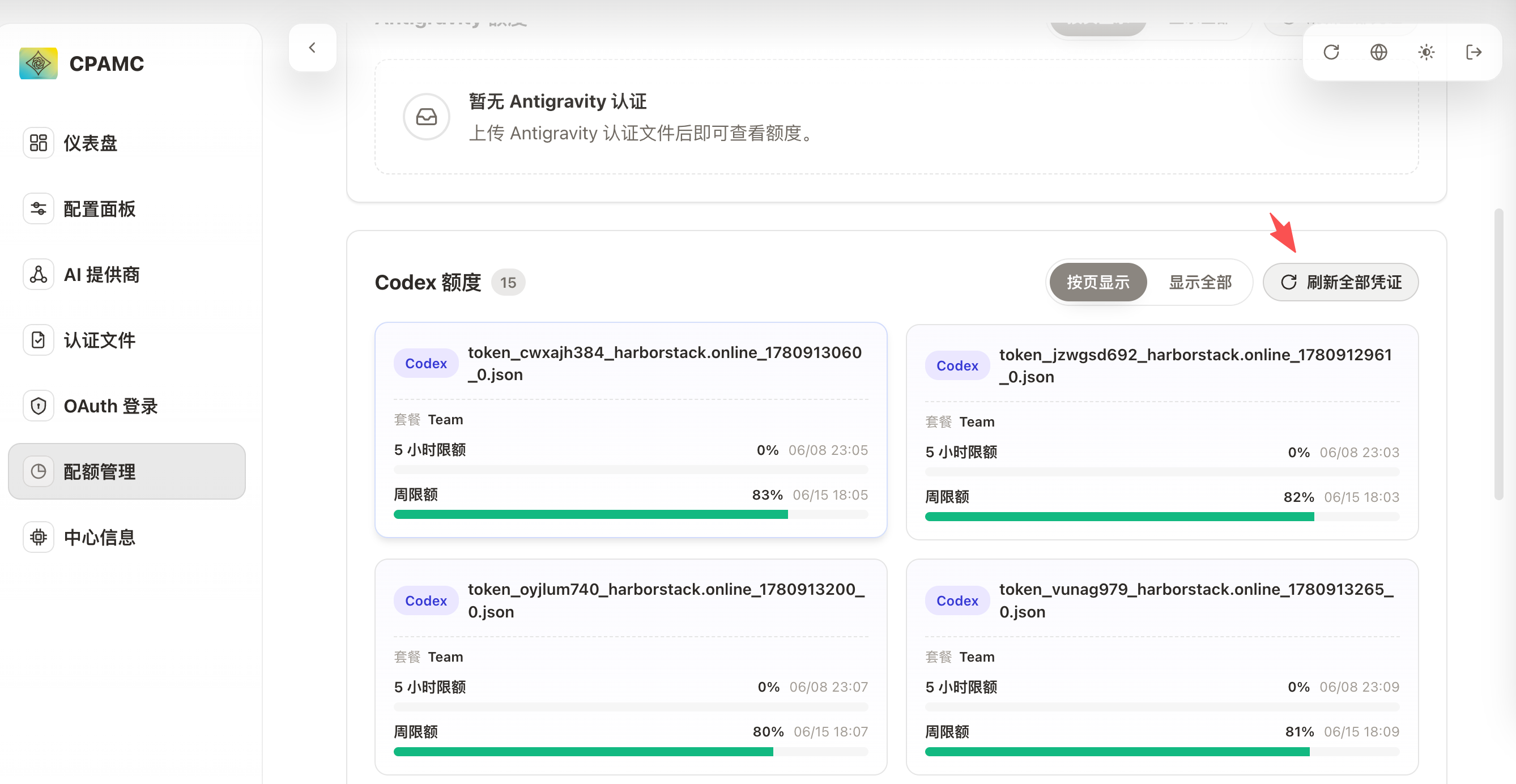
刷新凭证,之后可以看到账号额度,效果如下:
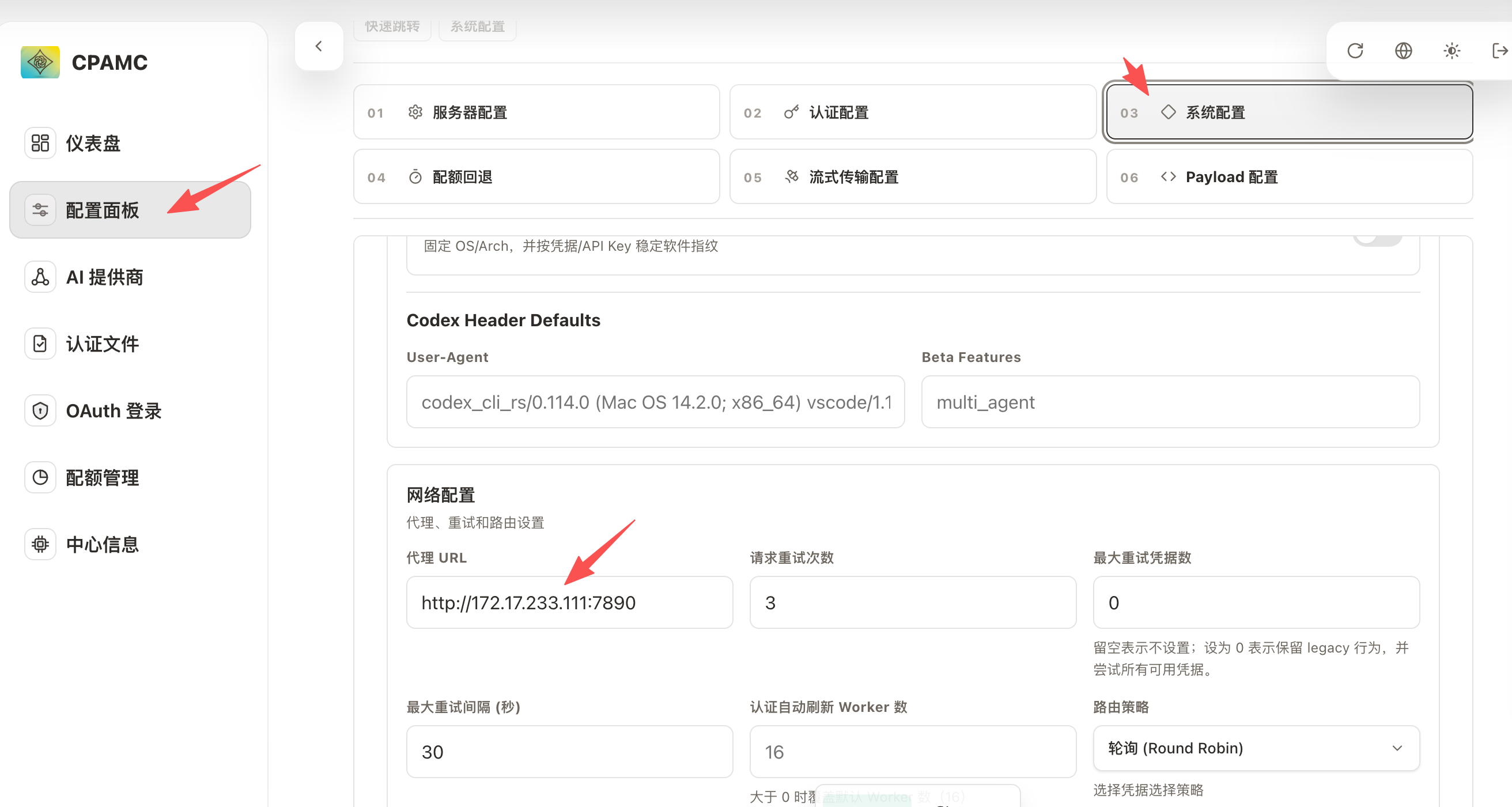
ps:如果这一步一直显示超时,一般就是网络问题,可以看最后一步配置代理。
创建 API Key
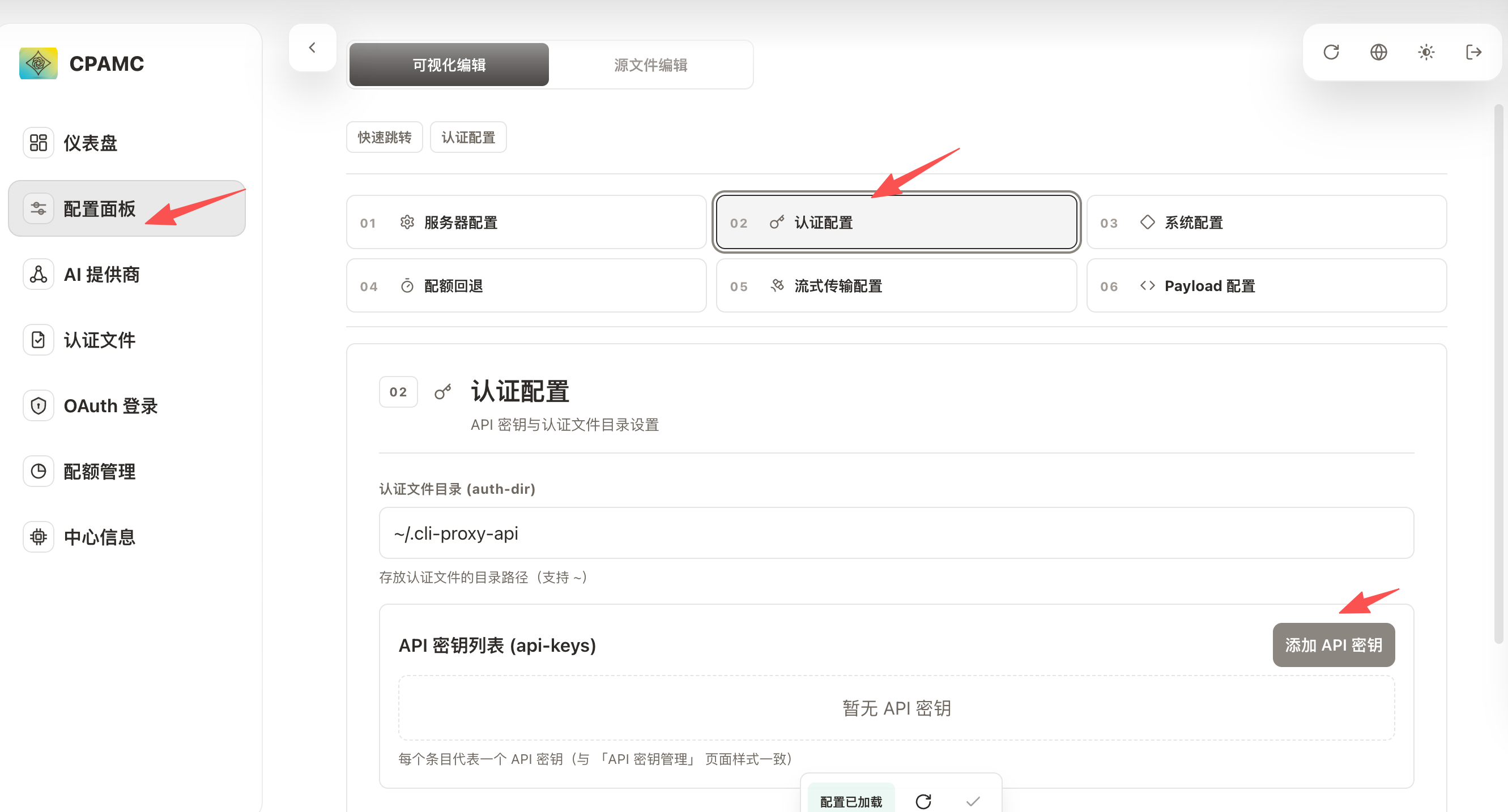
切换到配置面板,然后认证配置栏,点击添加 API 秘钥
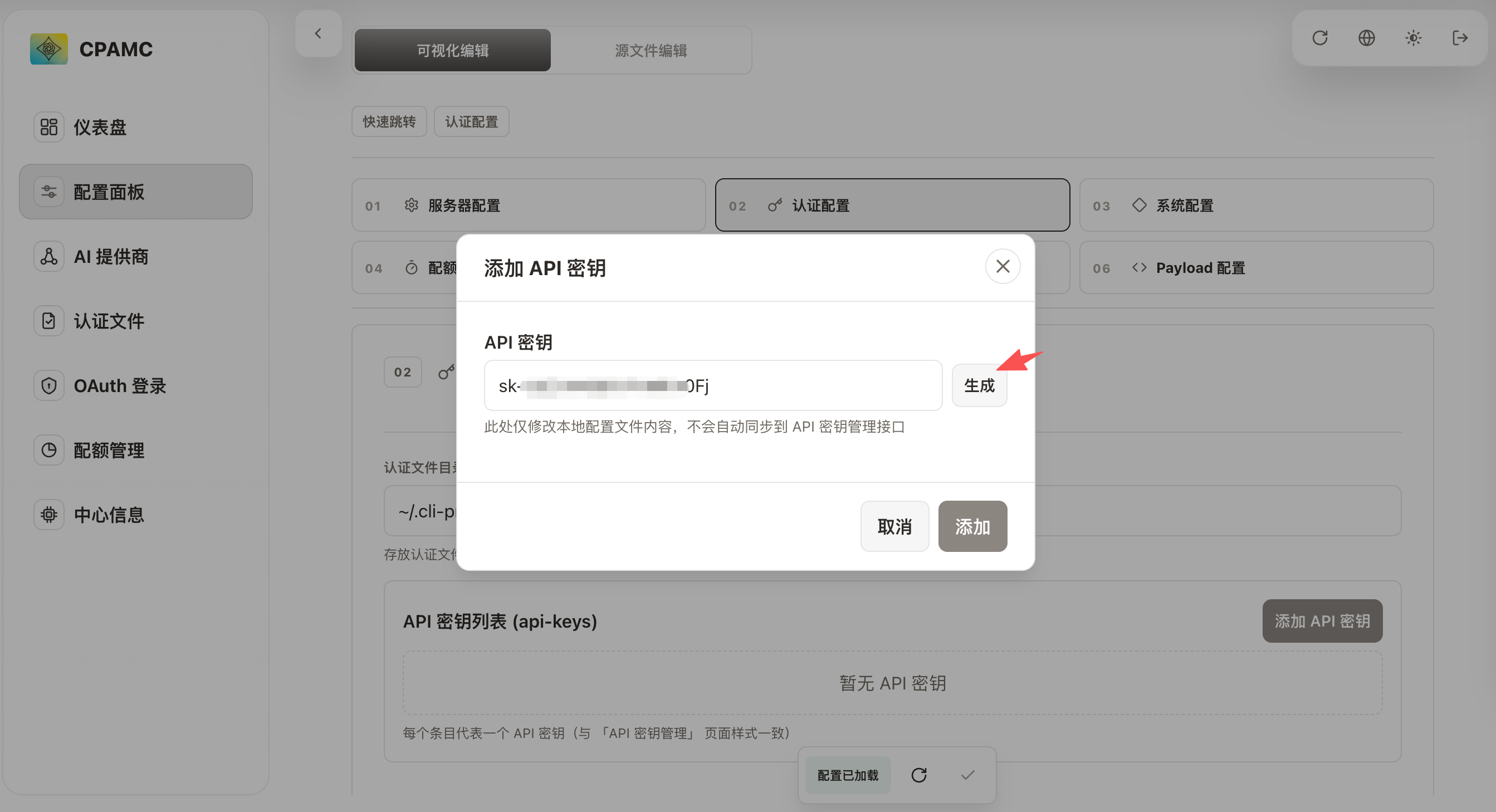
点击随机生成一个即可
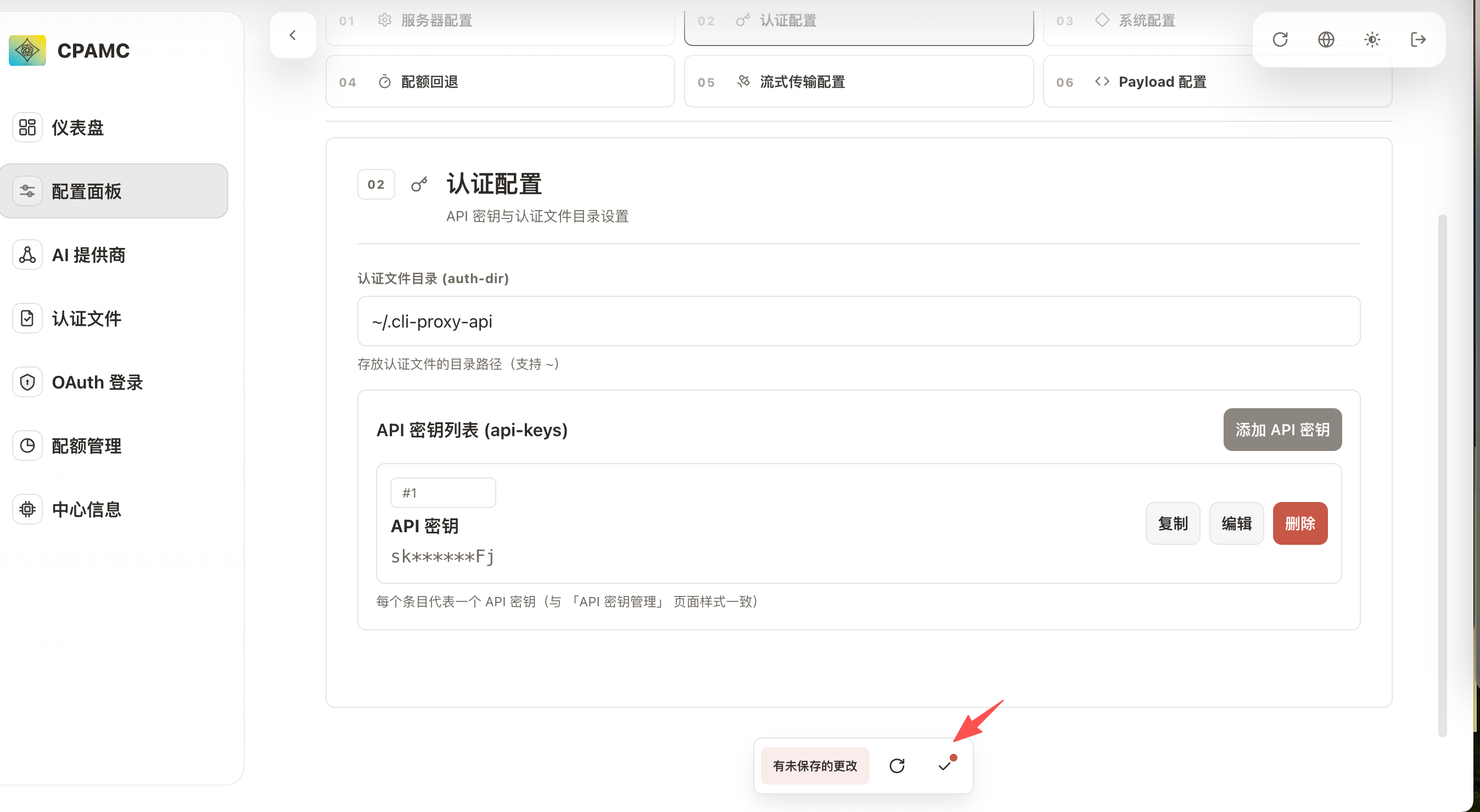
最后要记得保存
Client 接入
以 Claude Code 举例:
export ANTHROPIC_BASE_URL=http://127.0.0.1:8317
# 这个就是前面上传的 API Key
export ANTHROPIC_AUTH_TOKEN=sk-dummy
# 2.x.x 版本
export ANTHROPIC_DEFAULT_OPUS_MODEL=gpt-5(high)
export ANTHROPIC_DEFAULT_SONNET_MODEL=gpt-5(medium)
export ANTHROPIC_DEFAULT_HAIKU_MODEL=gpt-5(minimal) # 不推荐使用 gpt-5(minimal),建议使用 gemini-2.5-flash-lite 代替
# 1.x.x 版本
export ANTHROPIC_MODEL=gpt-5
export ANTHROPIC_SMALL_FAST_MODEL=gpt-5(minimal) # 不推荐使用 gpt-5(minimal),建议使用 gemini-2.5-flash-lite 代替
其他
配置代理
如图所示:
1 个帖子 - 1 位参与者
来源: LinuxDo 最新话题查看原文