Macbook开荒与美化
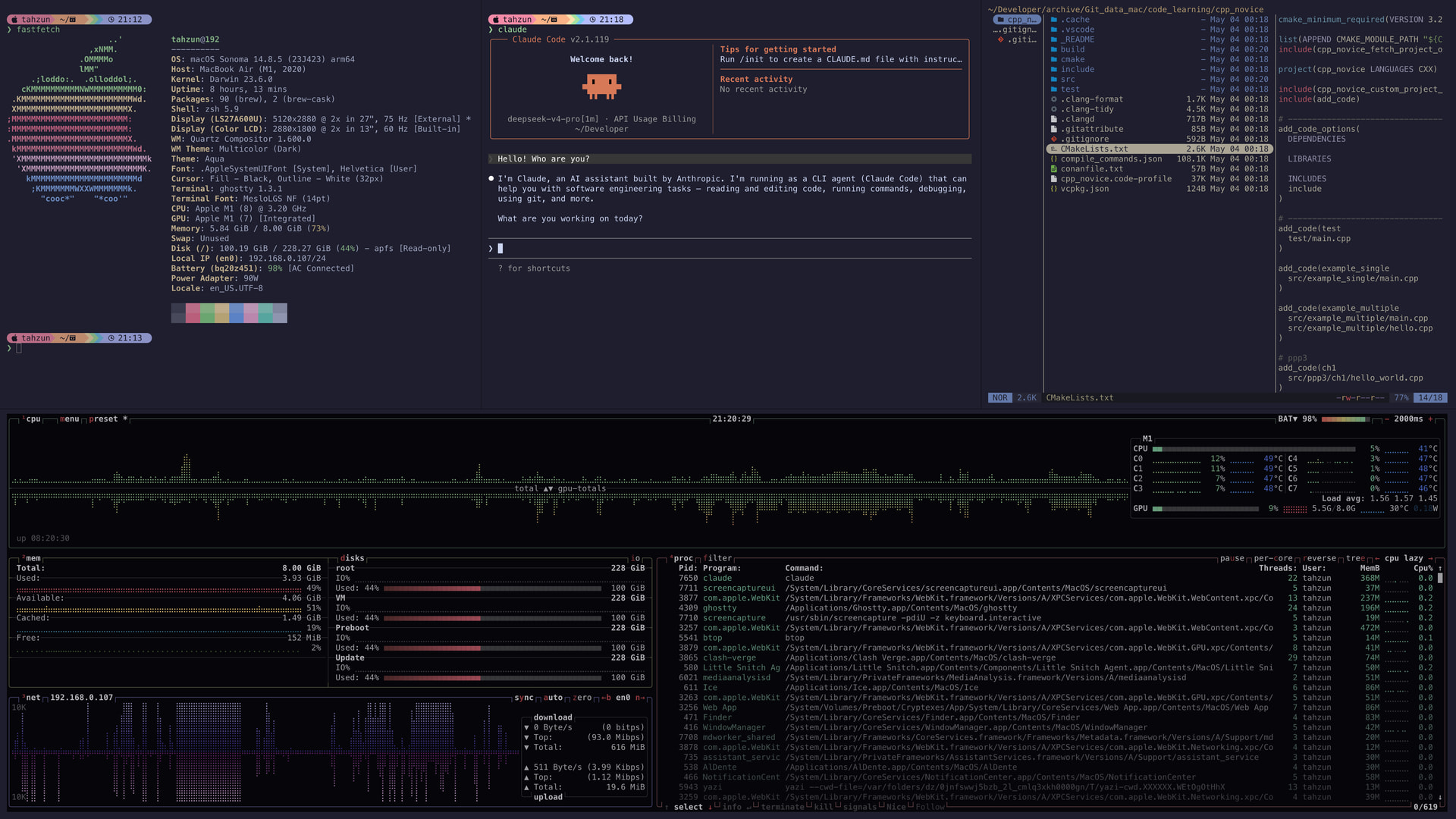
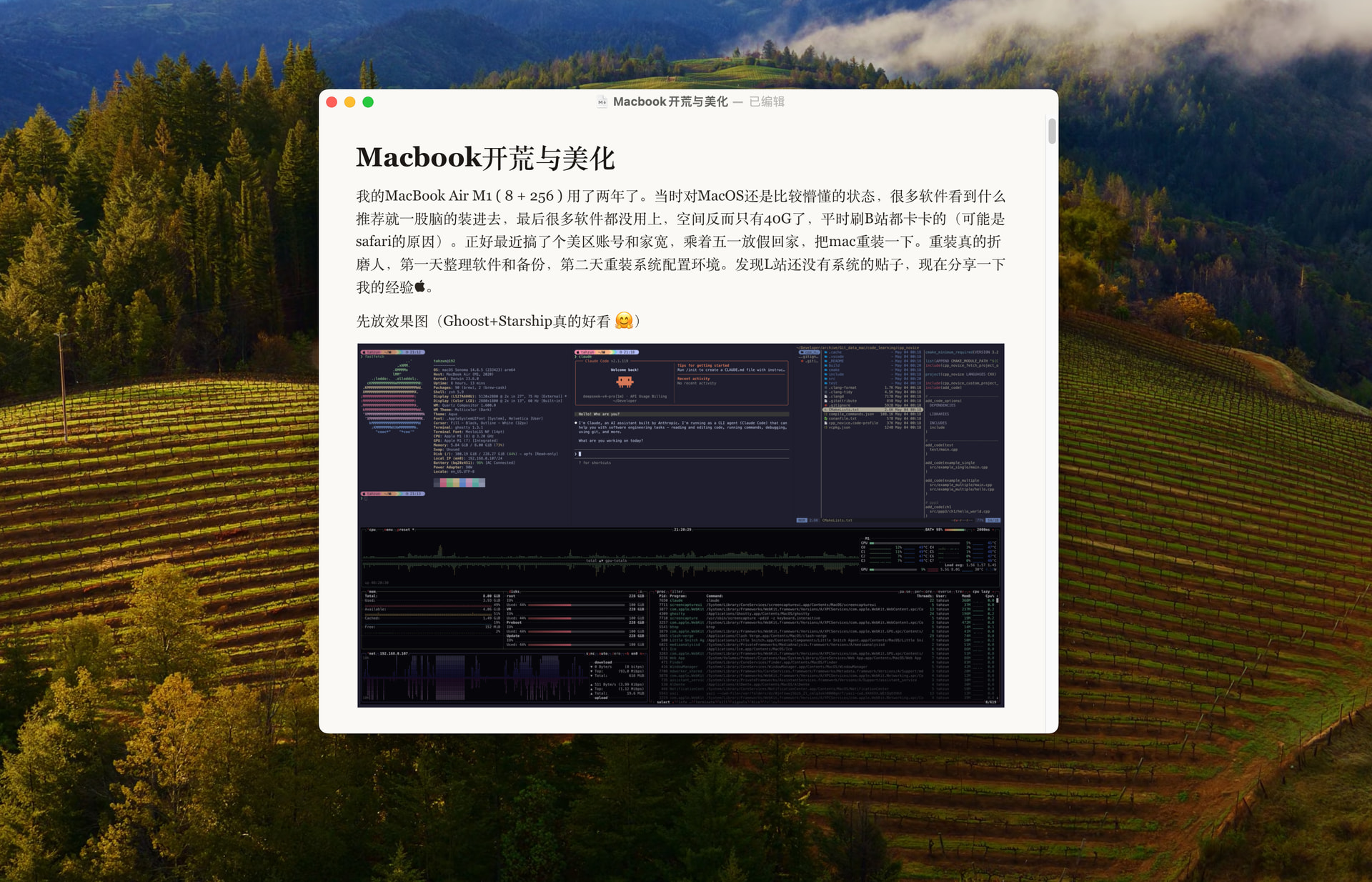
我的MacBook Air M1 ( 8 + 256 ) 用了两年了。当时对MacOS还是比较懵懂的状态,很多软件看到什么推荐就一股脑的装进去,最后很多软件都没用上,空间反而只有40G了,平时刷B站都卡卡的(可能是safari的原因)。正好最近搞了个美区账号和家宽,乘着五一放假回家,把mac重装一下。重装真的折磨人,第一天整理软件和备份,第二天重装系统配置环境。发现L站还没有系统的贴子,现在分享一下我的经验。先放效果图(有一说一Ghoost+Starship真的好看  )
)
1. 整理
1.1 确定原则
-
系统冻结 macOS Sonoma ,老电脑带不动新系统
-
软件不重复下功能相同的
-
一些不经常使用的软件(Final Cut Pro,Logic pro)保留安装包的云备份,需要时再下载,减少空间占用
-
工具只下当下必须的
1.2 整理字体
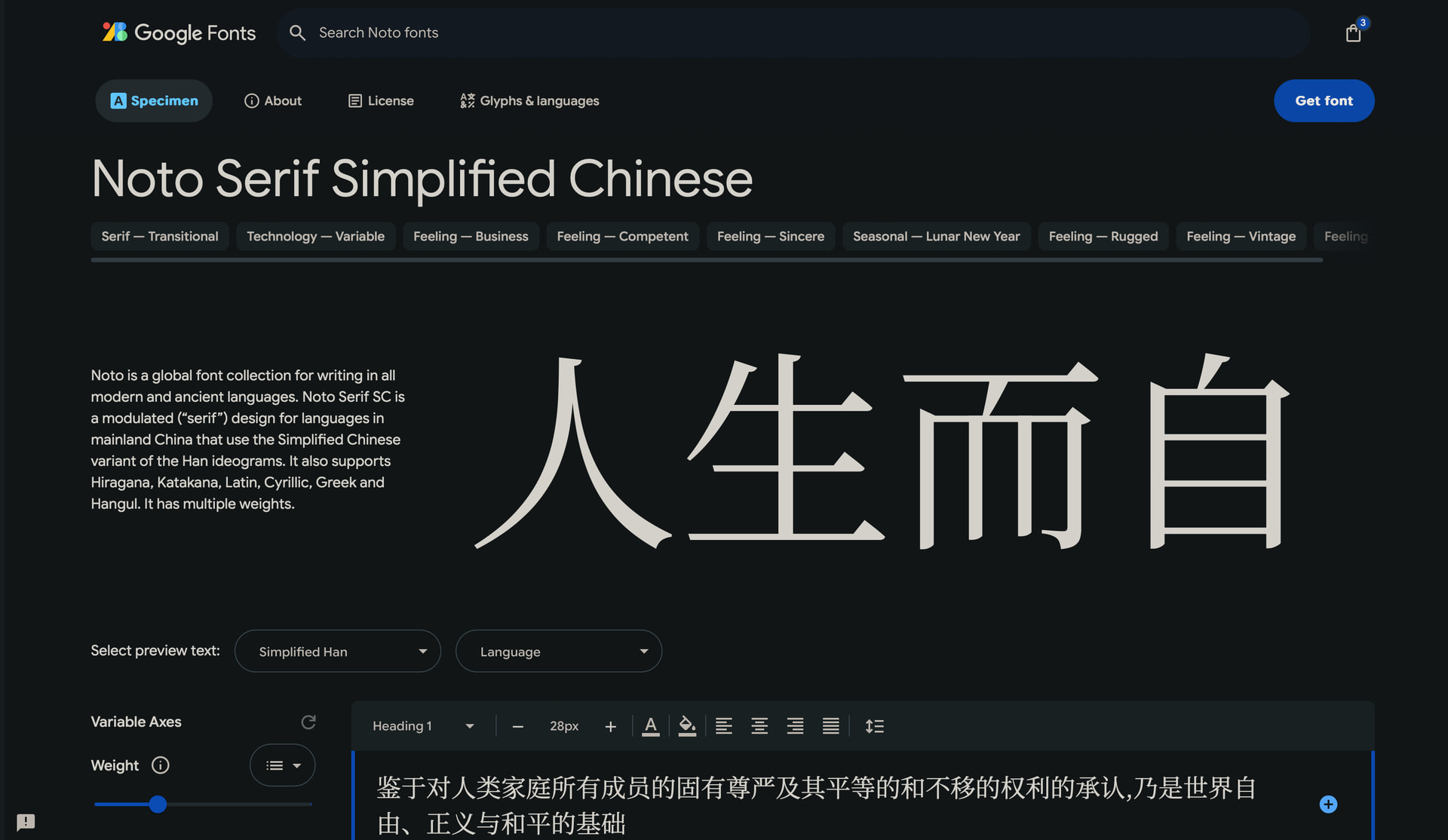
很着迷于Claude网页的那种风格
参考 https://www.zhihu.com/question/20010937/answer/1987881368865219736
“思源宋体的Regular字体仍偏细,而其Medium字体和SemiBold字体更适合阅读显示。其Regular字体字重400,Medium字重500,SemiBold字重600,而Bold字重700,则太粗。”
-
JetBrainsMapleMono
GitHub - SpaceTimee/Fusion-JetBrainsMapleMono: JetBrains Maple Mono: The free and open-source font fused with JetBrains Mono & Maple Mono · GitHub编程字体,伟大无需多言
-
Consolas-Nerd-LXGW-Wenkai-Mono
GitHub - MichaelC001/Consolas-Nerd-LXGW-Wenkai-Mono · GitHub
支持Nerd font图标,包括中文,终端可用
-
其他一些Windows中常用字体
eg 微软雅黑、仿宋_GB2312 etc.
GitHub - BronyaCat/Win-Fonts-For-Mac: Windows中的中文常用字体打包,便于Mac下的网页浏览与文档编辑 · GitHub安装新的word的雅黑是V3.6,链接中的是V3.25。需注意。
1.3 整理软件
综合自身经历并结合参考以下链接,可以按个人爱好安装。
https://www.zhihu.com/question/628644527/answer/3301181818
https://www.zhihu.com/question/22206867/answer/3576496841
https://www.zhihu.com/question/282279461/answer/1900860646947529520
https://zhuanlan.zhihu.com/p/1896344089189924896
为已安装,划掉 为曾经安装,无标记为备选方案
🪜
Clash Verge ⭐必备
Cloudflare WARP ⭐保留备用
~~ClashX~~
~~Steam++ ~~

终端
Ghostty ⭐非常好终端
~~Warp~~ 太大占空间
xcode-select --install ⭐据说不装会出bug
Homebrew ⭐包管理器,**网络不好注意换源**
/bin/bash -c "$(curl -fsSL https://raw.githubusercontent.com/Homebrew/install/HEAD/install.sh)"
brew install git ⭐ 必备
https://github.com/lewislulu/terminal-setup⭐⭐⭐一键安装美化配置,用完再也不想用Oh My Zsh和p10k,强力推荐。

文本编辑器
CotEditor⭐ 强烈推荐,占用小,有标签页,替代预览
Typora ⭐ 轻量化markdown编辑器
Sublime Text
Texifier latex

网盘
Quark⭐ 很多网站的网盘资源都用这个

实用工具
屏幕
BetterDisplay⭐ 外接屏幕HiDPI
~~MonitorControl~~ 调整屏幕亮度,但是上面已包含
鼠标
Mos ⭐必备,调整滚轮方向
MouseBoost Pro ⭐右键神器
~~BetterAndBetter~~ 与前面类似
~~LinearMouse~~ 与前面类似
压缩
Keka https://github.com/aonez/Keka ⭐简单好用
FastZip
其他
Screen Re...er by Omi ⭐录屏软件
AlDente ⭐必备,电池管理,防过充
uTools ⭐小工具,其他也可以
Magnet ⭐窗口位置调整
AutoRaise ⭐指针窗口
SwitchKey ⭐中英文切换记忆
Maccy	剪贴板,有uTools暂时用不上,但是这个可以跨设备同步
ShortcutDetective快捷键侦探 检查快捷键冲突
~~Fission-ChatBox~~
~~AirDroid~~

Safari插件
Speed Player ⭐倍速
BewlyBewly [BewlyBewly_Safari](https://github.com/Jingyuan-Zheng/BewlyBewly_Safari) ⭐B站美化插件
沉浸式翻译⭐
Tampermonkey⭐ 脚本
Noir⭐ 深浅自动变换

音乐
Melodyne
Soundify
Logic Pro

视频剪辑
HandBrake⭐ 可以转换视频格式,可以进行简单的视频剪辑和压缩
iMovie
Final Cut Pro

监控
iStatistica Pro
Sensei⭐ 类似任务管理器
~~iStat Menus~~
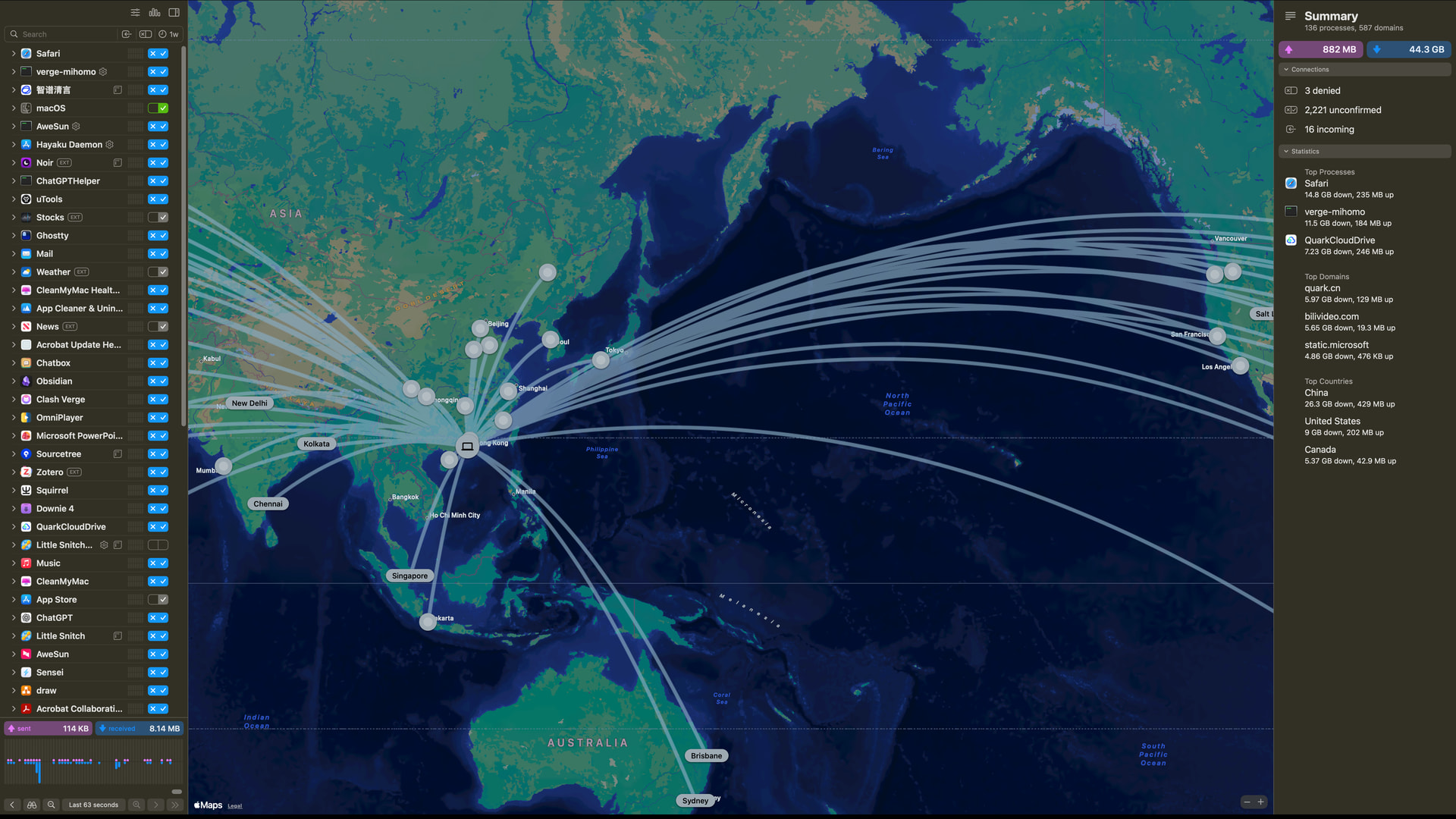
Little Snitch⭐ 强烈推荐,防火墙

聊天
WeChat⭐
QQ⭐

邮箱
mail⭐ 现在用系统自带挺好的接收快
Gmail 最多网页备用
~~Thunderbird~~

浏览器
Google Chrome ⭐ 开发备用

办公
Adobe Acboat Reader⭐ pdf
Microsoft Word ⭐
Microsoft PowerPoint ⭐
Microsoft Excel ⭐
OneDrive
Microsoft OneNote
Microsoft Outlook

知识管理
SimpleMind⭐ 简单好用思维导图
Obsidian⭐ 笔记软件
Readest 看书的

大模型
Claude Code CLI ⭐ 无需多言
CC Switch⭐ 无需多言
Chatbox⭐ 自己接入API
ChatGPT⭐

空间清理
App Cleaner & Uninstaller ⭐卸载软件,调整打开方式
Clean My Mac ⭐碎文件清理(较之上面有点卡卡的)
DaisyDisk ⭐磁盘可视化

下载
Downie 4 ⭐现在网页视频
Folx
~~Motrix~~

远程桌面
Parsec ⭐强烈推荐,校园网内可以教室连宿舍
SunloginClient ⭐备用
Windows App ⭐Windows rdp for mac
~~ToDesk~~

视频播放器
IINA 占用有点大
flowervision⭐ 替代预览看图看视频
OmniPlayer⭐ 听歌看视频推荐,完美释放mac喇叭潜力
~~Infuse~~

休闲娱乐
~~NetEaseMusic~~ 音乐都下载到本地了

虚拟机
CrossOver⭐ 轻量化
Parallels Desktop⭐ 备用,实在卡
OrbStack ⭐轻量化docker

开发工具
Royal TSX⭐ 服务器连接工具
Sourcetree⭐ git可视化
Draw.io Desktop⭐ 画流程图
~~Fork~~ 界面很apple,就是没有中文,对自己英语水平有自信的可以试试

IDE
Visual Studio Code ⭐无需多言
PyCharm CE⭐(官网) 社区版免费
DataGrip 占用大还没下
IntelliJ IDEA 占用大还没下
~~RedPandalDE~~ devC++ mac版
2 备份
由于是跨ID重装,备份
-
Documents
-
Music
-
Desktop
-
Pictures
-
Movies
以及
git配置文件
.ssh文件夹
safari、chrome的收藏,密码
加密上传到quark
3 重装系统
按照出二手的流程
先退出各种账号
参考
接着抹除重装,大约40分钟-1小时
激活设置,地区美国,增加中文输入法,关定位,登录美区账号。
4 重装软件
按照前文所述逐个安装即可
推荐几个资源站
有些软件没有可以直接bing搜,多找几个网站
4.3 macOS优化
参考
4.2 输入法
我之前用的是
 bilibili.com
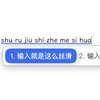
天下苦Mac中文输入法久矣!!!_哔哩哔哩_bilibili
经常使用全拼输入中文,但是Mac自带的输入法真的太难用了!词库不仅少还难难用,记忆功能也很差劲!终于找到了一个离线中文输入法方案,并且还有非常丰富的中文词库,真的太棒了!, 视频播放量 50044、弹幕量 122、点赞数 655、投硬币枚数 268、收藏人数 1039、转发人数 54, 视频作者 hh小橙, 作者简介...
看到下面评论区的万象输入法
github.com
GitHub - amzxyz/rime_wanxiang: 「万象拼音」:把算法留在幕后,把纯粹还给指尖,用更现代的数据,接管你的候选。Q群:11033572...
「万象拼音」:把算法留在幕后,把纯粹还给指尖,用更现代的数据,接管你的候选。Q群:11033572 / 11631066
试了一下,惊为天人。
非常智能,比apple自带的好出一百倍,我现在文章就是用这个敲的。
唯一一点小缺点就是没有计算机词库,可能要自己弄。
4.3 yazi
下面是我之前文章
 WSL安装后的美化配置(zsh + powerlevel10k/powerlevel10k + yazi)
开发调优
WSL安装后的美化配置(zsh + powerlevel10k/powerlevel10k + yazi)
开发调优
WSL安装后的美化配置(zsh + powerlevel10k/powerlevel10k + yazi) 之前刚开始用wsl对Unix/Linux系统不了解,看到什么就添加什么,很多配置都是乱的。现在重新对wsl,尤其是刚装完后的系统进行美化整理。不止wsl,其实虚拟机or服务器Ubuntu都行。 本文主要包括安装配置zsh,安装配置powerlevel10k/powerlevel10k,…
的yazi脚本(macOS版)
#!/bin/zsh
# 需要:Homebrew 已安装,shell 为 zsh

# Simple error handling
set -eu

# Error handler function
error_exit() {
    echo "Error: $1" >&2
    exit 1
}

# Check for required commands
check_dependencies() {
    local missing_deps=()

    if ! command -v curl >/dev/null 2>&1 && ! command -v wget >/dev/null 2>&1; then
        missing_deps+=("curl or wget")
    fi

    if ! command -v unzip >/dev/null 2>&1; then
        missing_deps+=("unzip")
    fi

    # Homebrew 本身最好存在(优先用 brew 安装)
    if ! command -v brew >/dev/null 2>&1; then
        echo "Note: Homebrew not found. The script will fallback to downloading the binary from GitHub."
    fi

    if [ ${#missing_deps[@]} -gt 0 ]; then
        echo "Error: Missing required dependencies: ${missing_deps[*]}"
        echo ""
        echo "To install on macOS (Homebrew):"
        echo "  brew install curl unzip"
        exit 1
    fi
}

check_dependencies

# Simple menu
print "Please select an option:"
print "1) Install all (yazi + theme + function)"
print "2) Install yazi and configure yy wrapper function"
print "3) Only install yazi"
print "q) Quit"

read "REPLY?Choice [1/2/3/q]: "

case "$REPLY" in
    1) CHOICE=1 ;;
    2) CHOICE=2 ;;
    3) CHOICE=3 ;;
    q|Q) exit 0 ;;
    *) error_exit "Invalid choice" ;;
esac

# macOS: yazi 与 ya 的最终路径(优先 brew;若用 GitHub zip 则指向解压目录)
YAZI_BIN=""
YA_BIN=""
USE_BREW=0

if command -v brew >/dev/null 2>&1; then
    echo "Detected Homebrew. Using Homebrew to install yazi..."
    # 如你希望同时安装常用可选依赖,可启用下两行(可选):
    # brew install ffmpeg-full sevenzip jq poppler fd ripgrep fzf zoxide resvg imagemagick-full font-symbols-only-nerd-font 2>/dev/null || true
    # brew link ffmpeg-full imagemagick-full -f --overwrite 2>/dev/null || true

    if brew install yazi; then
        USE_BREW=1
        # brew 安装后通常会把 bin 加入 PATH;确保能找到 ya
        YAZI_BIN=$(command -v yazi 2>/dev/null || true)
        YA_BIN=$(command -v ya 2>/dev/null || true)

        # 若当前 shell 未刷新 PATH,尝试用 brew 前缀猜测路径
        if [[ -z "$YAZI_BIN" || -z "$YA_BIN" ]]; then
            local_brew_prefix=$(brew --prefix 2>/dev/null || true)
            if [[ -n "$local_brew_prefix" && -x "${local_brew_prefix}/bin/yazi" ]]; then
                YAZI_BIN="${local_brew_prefix}/bin/yazi"
            fi
            if [[ -n "$local_brew_prefix" && -x "${local_brew_prefix}/bin/ya" ]]; then
                YA_BIN="${local_brew_prefix}/bin/ya"
            fi
        fi

        if [[ -z "$YAZI_BIN" || -z "$YA_BIN" ]]; then
            error_exit "Homebrew installed yazi but cannot locate yazi or ya binaries."
        fi

        echo "Homebrew install success: yazi=${YAZI_BIN}, ya=${YA_BIN}"
    else
        error_exit "Homebrew install failed."
    fi
else
    # ---- 若没有 Homebrew:从 GitHub 下载 macOS 预编译包 ----
    echo "Homebrew not found. Falling back to downloading the binary from GitHub."

    CURRENT_DIR=$(pwd)

    # 自动识别 Apple Silicon (arm64) 或 Intel (x86_64)
    ARCH=$(uname -m)
    case "$ARCH" in
        arm64)
            ARCH_SUFFIX="aarch64-apple-darwin"
            ;;
        x86_64)
            ARCH_SUFFIX="x86_64-apple-darwin"
            ;;
        *)
            error_exit "Unsupported macOS architecture: $ARCH"
            ;;
    esac

    # 使用 /releases/latest/download 的最新链接
    URL="https://github.com/sxyazi/yazi/releases/latest/download/yazi-${ARCH_SUFFIX}.zip"
    FILENAME="${URL##*/}"
    TARGET_FILE="$CURRENT_DIR/$FILENAME"

    if [ -f "$TARGET_FILE" ]; then
        echo "File already exists: $TARGET_FILE"
        echo "Skipping download."
    else
        echo "Downloading $FILENAME ..."
        if command -v curl >/dev/null 2>&1; then
            if ! curl -L -o "$TARGET_FILE" "$URL"; then
                error_exit "Download failed with curl."
            fi
        elif command -v wget >/dev/null 2>&1; then
            if ! wget -O "$TARGET_FILE" "$URL"; then
                error_exit "Download failed with wget."
            fi
        else
            error_exit "No curl or wget available."
        fi
        echo "Download successful."
    fi

    EXPECTED_DIR_NAME=$(basename "$FILENAME" .zip)
    TARGET_UNZIPPED_DIR="$CURRENT_DIR/$EXPECTED_DIR_NAME"

    if [ -d "$TARGET_UNZIPPED_DIR" ]; then
        echo "Target directory already exists: $TARGET_UNZIPPED_DIR"
    else
        echo "Unzipping: $FILENAME"
        if ! unzip -q "$TARGET_FILE" -d "$CURRENT_DIR/"; then
            error_exit "Unzip failed."
        fi
    fi

    YAZI_PATH="$TARGET_UNZIPPED_DIR/yazi"
    YA_PATH="$TARGET_UNZIPPED_DIR/ya"

    if [ ! -f "$YAZI_PATH" ]; then error_exit "yazi binary not found"; fi
    if [ ! -f "$YA_PATH" ]; then error_exit "ya binary not found"; fi

    # 可选:安装到 ~/bin(避免与 brew 混用)
    INSTALL_DIR="$HOME/bin"
    mkdir -p "$INSTALL_DIR"
    cp "$YAZI_PATH" "$INSTALL_DIR/yazi"
    cp "$YA_PATH" "$INSTALL_DIR/ya"
    chmod +x "$INSTALL_DIR/yazi" "$INSTALL_DIR/ya"
    echo "Binaries copied to $INSTALL_DIR"

    YAZI_BIN="$INSTALL_DIR/yazi"
    YA_BIN="$INSTALL_DIR/ya"
fi

# ---- 配置 shell(zsh)----
USER_DEFAULT_SHELL="${SHELL:t}"

# 针对 brew,通常不需要再改 PATH;若使用 ~/bin,确保 PATH 包含它
PATH_LINE='export PATH="$HOME/bin:$PATH"'

add_path_line() {
    local rcfile="$1"
    if [ -f "$rcfile" ]; then
        if grep -qF "$PATH_LINE" "$rcfile"; then
            echo "PATH already configured in $rcfile"
        else
            echo "" >> "$rcfile"
            echo "$PATH_LINE" >> "$rcfile"
            echo "PATH added to $rcfile"
        fi
    fi
}

# 若使用 ~/bin 且 ~/.bin 不在 PATH,则自动加入 .zshrc
if [[ "$USE_BREW" -eq 0 ]]; then
    case "$USER_DEFAULT_SHELL" in
        *zsh) add_path_line "$HOME/.zshrc" ;;
        # 不建议在 macOS 上改动 .bash_profile;若你用 bash 请自行调整
    esac
fi

# ---- YY 函数(保持原逻辑)----
if [[ $CHOICE -eq 1 || $CHOICE -eq 2 ]]; then
    YY_FUNC='function yy() {
    local tmp="$(mktemp -t "yazi-cwd.XXXXXX")"
    yazi "$@" --cwd-file="$tmp"
    if cwd="$(cat -- "$tmp")" && [ -n "$cwd" ] && [ "$cwd" != "$PWD" ]; then
        cd -- "$cwd"
    fi
    rm -f -- "$tmp"
}'

    add_func() {
        local rcfile="$1"
        if [ -f "$rcfile" ]; then
            if grep -F "function yy()" "$rcfile" >/dev/null 2>&1; then
                echo "yy function already exists"
            else
                echo "" >> "$rcfile"
                echo "$YY_FUNC" >> "$rcfile"
                echo "yy function added to $rcfile"
            fi
        fi
    }

    case "$USER_DEFAULT_SHELL" in
        *zsh) add_func "$HOME/.zshrc" ;;
        *) echo "Unsupported shell for adding function; please add yy manually." ;;
    esac
fi

# ---- 主题与示例配置(仅选择 1)----
if [ "$CHOICE" -eq 1 ]; then
    CONFIG_DIR="${HOME}/.config/yazi"
    mkdir -p "${CONFIG_DIR}"

    cat >"${CONFIG_DIR}/yazi.toml" <<'EOF'
[mgr]
show_hidden = true
linemode = "size_and_mtime"
EOF

    cat >"${CONFIG_DIR}/init.lua" <<'EOF'
function Linemode:size_and_mtime()
    local time = math.floor(self._file.cha.mtime or 0)
    if time == 0 then time = ""
    elseif os.date("%Y", time) == os.date("%Y") then time = os.date("%b %d %H:%M", time)
    else time = os.date("%b %d  %Y", time) end
    local size = self._file:size()
    return string.format("%s %s", size and ya.readable_size(size) or "-", time)
end
EOF

    cat >"${CONFIG_DIR}/theme.toml" <<'EOF'
[flavor]
dark = "kanagawa"
EOF

    echo "Installing kanagawa theme..."

    # 使用找到的 ya 路径调用
    if "$YA_BIN" pkg add dangooddd/kanagawa; then
        echo "Theme installed successfully!"
    else
        echo "Warning: Theme installation failed."
    fi
fi

echo ""
echo "✓ Installation complete!"
if [[ "$USER_DEFAULT_SHELL" = *zsh* ]]; then
    echo "Please run: source ~/.zshrc"
fi
# 我主动装的包,包括lewislulu/terminal-setup的。

❯ brew leaves

bat
btop
cmake
doggo
eza
fastfetch
fd
fnm
fprobe
fzf
git
git-delta
gping
httpie
jq
lazygit
pandoc
pdftoipe
ripgrep
speedtest-cli
starship
tldr
tree
uv
yazi
zellij
zoxide
zsh-autosuggestions
zsh-completions
zsh-syntax-highlighting
5 后记
重装真的非常折磨人,有条件的记得上时间机器备份。
3 个帖子 - 3 位参与者